Canon PowerShot SD and CompactFlash Memory Card Compatibility Guide
- Nathaniel Stephan
- June 16, 2025

Table of Contents
Canon PowerShot cameras are compatible with SD or CompactFlash memory cards. Not every Canon PowerShot SD card type will work in every model, so it’s worth knowing the differences.
The SD card standard has been revised to increase the maximum capacities that can be used.
- SD - 2GB max
- SDHC - 32GB max
- SDXC - 2TB max
For JPEG shooting, a 32GB card is the sweet spot for value.
UHS-II cards will work, but at UHS-I speeds. That’s not worth paying more for. Instead, get a larger capacity UHS-I card.
The largest capacity CompactFlash cards that can be used are 2GB. To save money, consider using an SD or microSD to CF adapter.
Not sure What PowerShot you have?
The camera model name is usually printed on the front, though it can wear off over time.
You can also check the sticker on the bottom of the camera.
Use ⌘+F or Ctrl+F or your browser’s find function to search for your camera.
Common Memory Card Problems
If you are having a problem with your memory card, check your camera’s manual. PDF copies can be downloaded from the Canon Support Site.
Other things to try:
- Try formatting the memory card with the camera. This requires going into the menu options. It will delete all the photos and other data stored on the card.
- Make sure the card isn’t physically locked. It is the switch on the side of the card.
- Check CompactFlash card slots for bent pins, which can cause read/write failures.
Affiliate Advertising Disclosure
Outside the Shot is a participant in the Amazon Services LLC Associates Program, an affiliate advertising program designed to provide a means for sites to earn advertising fees by advertising and linking to Amazon.com. As an eBay Partner, I may be compensated if you make a purchase. I also participate in affiliate advertising programs with KEH, and WEX Photo Video. More can be found on the Affiliate Disclosure page.
Cameras that use SD cards (2GB Max)
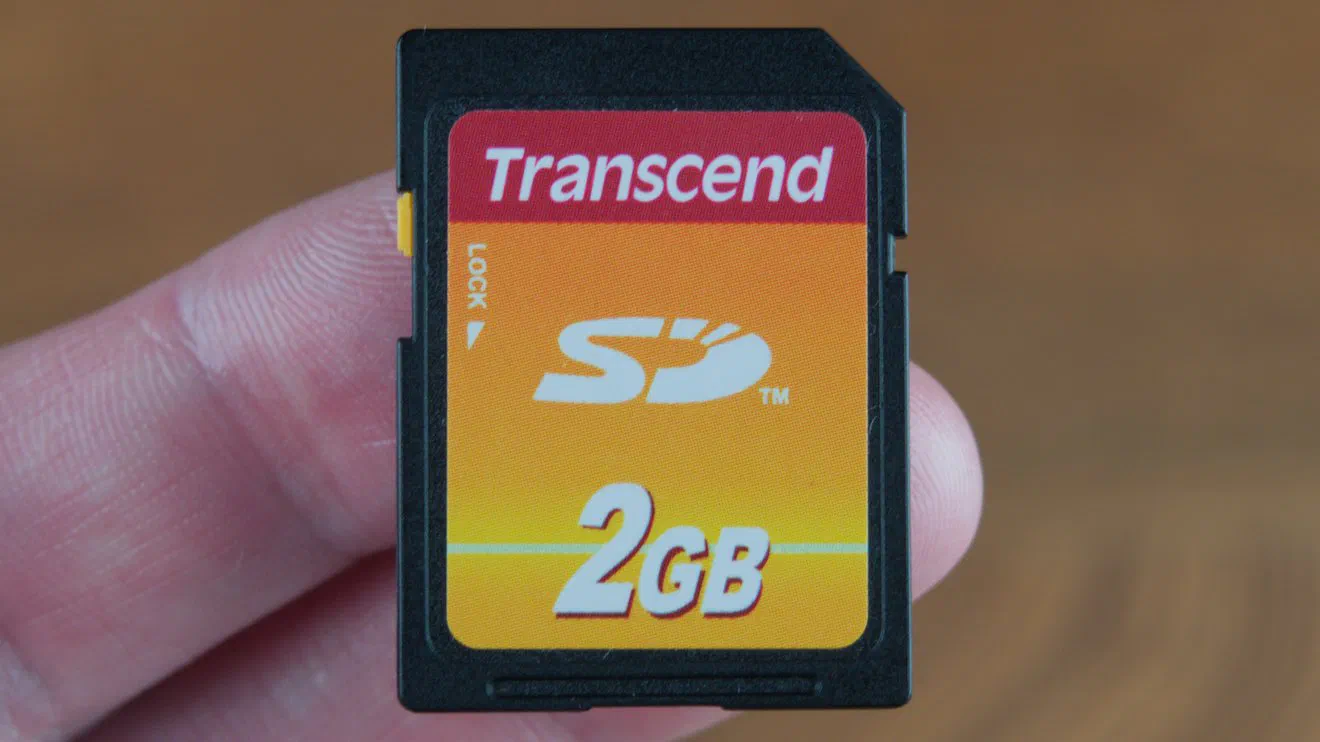
These cameras will only with cards that follow the original SD standard. That means a maximum capacity of 2GB.
A larger card will not work. The camera will show a card error and will not be able to format it.
These models have the same name in all regions.
| PowerShot | Canon Model |
|---|---|
| S80 | PC1155 |
| S2 IS | PC1130 |
| A400 | PC1080 |
| A410 | PC1156 |
| A420 | PC1185 |
| A430 | PC1186 |
The following models were sold under different names depending on the region.
- US - PowerShot
- Europe - Digital IXUS
- Japan - IXY Digital
| PowerShot | Digital IXUS | IXY Digital | Canon Model |
|---|---|---|---|
| SD10 | i | L | PC1060 |
| SD20 | i5 | L2 | PC1108 |
| SD30 | i Zoom | L3 | PC1144 |
| SD100 | II | 30 | PC1035 |
| SD110 | IIs | 30a | PC1085 |
| SD200 | 30 | 40 | PC1102 |
| SD300 | 40 | 50 | PC1101 |
| SD400 | 50 | 55 | PC1150 |
| SD430 | Wireless | Wireless | PC1190 |
| SD450 | 55 | 60 | PC1158 |
| SD500 | 700 | 600 | PC1114 |
| SD550 | 750 | 700 | PC1169 |
| SD600 | 60 | 70 | PC1193 |
| SD630 | 65 | 80 | PC1147 |
| SD700 IS | 800 IS | 800 IS | PC1176 |
| A510 | — | — | PC1107 |
| A520 | — | — | PC1106 |
| A530 | — | — | PC1184 |
| A540 | — | — | PC1183 |
| A610 | — | — | PC1146 |
| A620 | — | — | PC1145 |
| A700 | — | — | PC1182 |
Recommended SD Card
The only compatible Canon SD card I consistently see available new is a 2GB Transcend.
If you can find one cheaper, go for it. These aren’t cards that get faked or counterfeited. They use older manufacturing processes.
See current price and information:
Cameras that use SDHC cards (32GB Max)
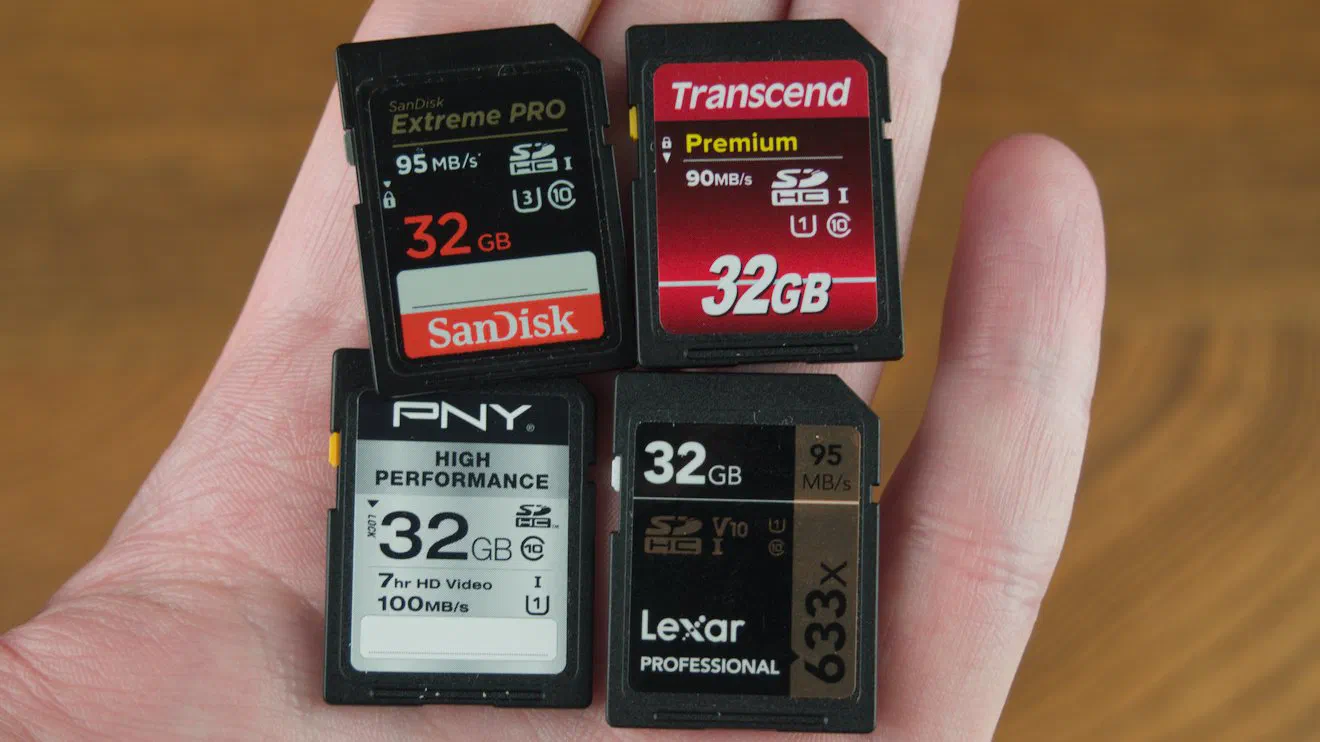
A 32GB card with UHS-I will be the best value.
A U1, Class 10, or V10 rating will mean the card is capable of continuously writing 10MBps or 80Mbps.
16GB cards are almost the same price.
If you have other cameras, a card with a V30 speed rating is fast enough to record 4k video. (30MBps or 240Mbps)
Avoid expensive UHS-II cards. None of the cameras can use the extra speed. They will work at UHS-I speeds.
Using a 64GB or larger card will cause an error. The card will not be able to be formatted.
These models had the same model name in all regions.
| PowerShot D | PowerShot E | PowerShot TX |
|---|---|---|
| D10 | E1 | TX1 |
| D20 | ||
| D30 |
| PowerShot G | PowerShot S | PowerShot SX |
|---|---|---|
| G7 | S3 IS | SX1 IS |
| G9 | S5 IS | SX10 IS |
| G10 | S90 | SX20 IS |
| G11 | SX100 IS | |
| SX110 IS | ||
| SX120 IS | ||
| SX200 IS |
| PowerShot A | PowerShot A | PowerShot A | PowerShot A |
|---|---|---|---|
| A450 | A560 | A590 IS | A800 |
| A460 | A570 IS | A630 | A1000 IS |
| A470 | A580 | A640 | A1100 IS |
| A480 | A650 IS | A1200 | |
| A550 | A720 IS | A2000 IS | |
| A2100 IS |
These models had different names depending on the region.
| Powershot | Digital IXUS | IXY Digital | Canon model |
|---|---|---|---|
| SD750 | 75 | 90 | PC1227 |
| SD770 IS | 85 IS | 25 IS | PC1262 |
| SD780 IS | 100 IS | 210 IS | PC1353 |
| SD790 IS | 90 IS | 95 IS | PC1261 |
| SD800 IS | 850 IS | 900 IS | PC1209 |
| SD850 IS | 950 IS | 810 IS | PC1235 |
| SD870 IS | 860 IS | 910 IS | PC1249 |
| SD880 IS | 870 IS | 920 IS | PC1308 |
| SD890 IS | 970 IS | 820 IS | PC1266 |
| SD900 | 900 Ti | 1000 | PC1206 |
| SD940 IS | 120 IS | 220 IS | PC1430 |
| SD950 IS | 960 IS | 2000 IS | PC1248 |
| SD960 IS | 110 IS | 510 IS | PC1356 |
| SD970 IS | 990 IS | 830 IS | PC1357 |
| SD980 IS | 200 IS | 930 IS | PC1437 |
| SD990 IS | 980 IS | 3000 IS | PC1332 |
| SD1000 | 70 | 10 | PC1228 |
| SD1100 IS | 80/82 IS | 20 IS | PC1271 |
| SD1200 IS | 95 IS | 110 IS | PC1355 |
Transcend 32GB SDHC
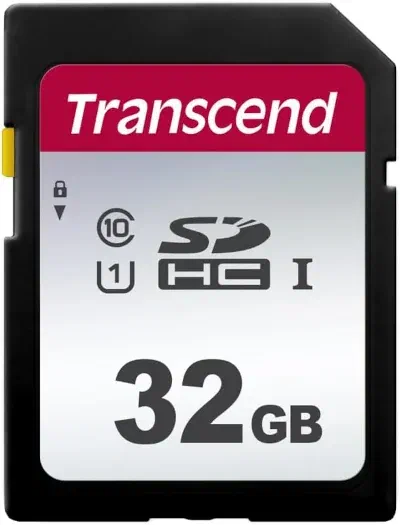
- UHS Speed Class 1 (U1) rated for Full HD video and burst shooting.
- 7-proof durability covers water, shock, X-rays, static, magnets, temperature, and wear.
- Best suited for JPEG shooters and 1080p video, not fast enough for RAW bursts or 4K.
See current price and information:
PNY Elite 32GB
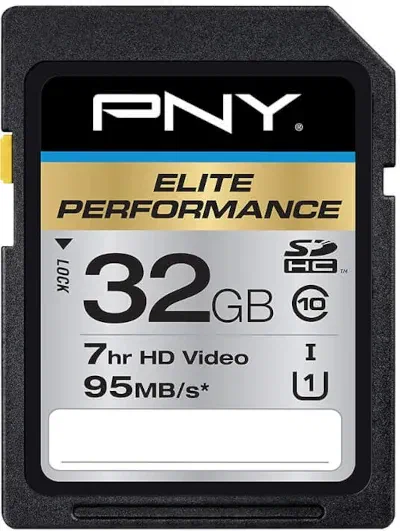
- Read speeds up to 100MB/s for faster file transfers to your computer.
- Class 10, U1, and V10 rated for reliable 1080p video without dropped frames.
- Compatible with point-and-shoot, DSLR, and HD video cameras.
- Waterproof, shockproof, temperature proof, and magnet proof.
See current price and information:
SanDisk Ultra 32GB
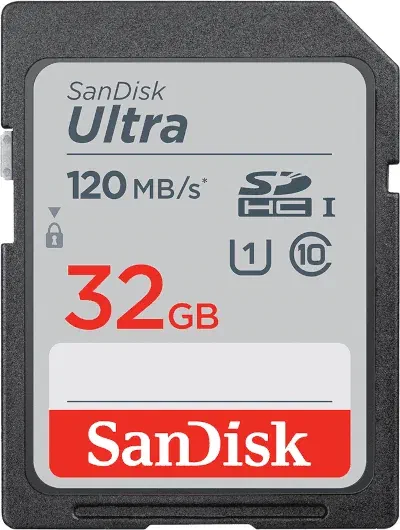
- Read speeds up to 90MB/s for quick transfers to a computer or card reader.
- Class 10 rated for 1080p video, but not capable of recording 4K.
- Waterproof, temperature proof, X-ray proof, magnet proof, and shockproof.
See current price and information:
Cameras that use SDXC cards (2TB Max)
I recommend a SD card that has UHS-I and a V30 or U3 speed rating. That means the card will be fast enough to record 4k30.
Even if your camera can’t record 4k, what happens if you ever decide to upgrade?
Another advantage is faster transfer speeds, which is nice if you’re constantly filling up a card.
It should only be slightly more expensive than a Class 10, U1 card. For instance, I wouldn’t pay 50% more.
Don’t buy a UHS-II card. They will work, but at UHS-I speeds.
The price difference can be the same as buying two UHS-I cards or a larger capacity card.
These models had the same name in all regions:
| Powershot G | Powershot G | Powershot G |
|---|---|---|
| G1 X | G7 X | G12 |
| G1 X Mark II | G7 X Mark II | G15 |
| G1 X Mark III | G7 X Mark III | G16 |
| G3 X | G9 X | |
| G5 X | G9 X Mark II | |
| G5 X Mark II |
| Powershot SX | Powershot SX | Powershot SX | Powershot SX |
|---|---|---|---|
| SX30 IS | SX280 HS | SX520 HS | SX700 HS |
| SX40 HS | SX400 IS | SX530 HS | SX710 HS |
| SX50 HS | SX410 IS | SX540 HS | SX720 HS |
| SX130 IS | SX420 IS | SX600 HS | SX730 HS |
| SX160 IS | SX430 IS | SX610 HS | SX740 HS |
| SX170 IS | SX500 IS | SX620 HS | |
| SX210 IS | SX510 HS | ||
| SX220 HS | |||
| SX230 HS | |||
| SX240 HS | |||
| SX260 HS | |||
| SX270 HS |
These models had different names depending on the region:
| PowerShot | Digital IXUS | IXY Digital | Canon Model |
|---|---|---|---|
| SD1300 IS | 105 | 200F | PC1469 |
| SD1400 IS | 130 | 400F | PC1472 |
| SD3500 IS | 210 | 10S | PC1467 |
| SD4000 IS | 300 HS | 30S | PC1473 |
| SD4500 IS | 1000 HS | 50S | — |
| 500 HS | 310 HS | 31S | — |
| 300 HS | 220 HS | 410F | PC1591 |
| 100 HS | 115 HS | 210F | — |
| 510 HS | 1100 HS | 51S | — |
| 310 HS | 230 HS | 600F | — |
| 520 HS | 500 HS | 3 | — |
| 110 HS | 125 HS | 220F | PC1733 |
| 530 HS | 510 HS | 1 | — |
| 320 HS | 240 HS | 420F | — |
| — | 245 HS | 430F | — |
| 330 HS | 255 HS | 610F | — |
| 115 IS | 132 | 90F | — |
| 120 IS | 135 | 100F | — |
| 130 IS | 140 | 110F | — |
| — | — | 620F | — |
| 340 HS | 265 HS | 630 | — |
| 135 | 145 | 120 | — |
| 140 IS | 150 | 130 | — |
| 150 IS | 155 | 140 | — |
| 160 | 160 | 150 | — |
| — | 165 | 160 | — |
| 170 IS | 170 | 170 | — |
| 350 HS | 275 HS | 640 | — |
| 180 | 175 | 180 | — |
| 190 IS | 180 | 190 | PC2266 |
| 360 HS | 285 HS | 650 | — |
| 185 | 185 | 200 | — |
| 200 IS | 190 | 210 | — |
Lexar Professional 128GB
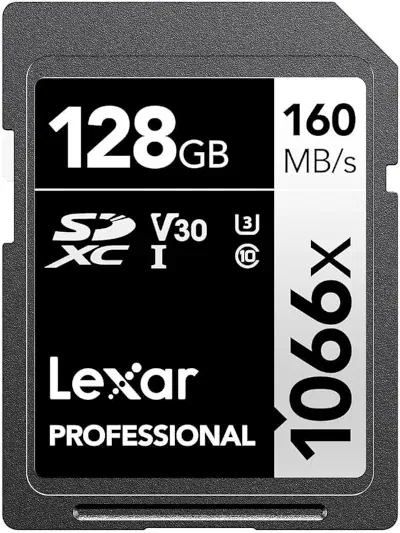
- UHS-I, U3, and V30 rated with sustained write speeds up to 30MB/s and read speeds up to 160MB/s.
- Designed for professional photographers who need fast, reliable image capture.
- Handles 4K UHD video recording without dropped frames or buffering issues.
- Use a USB 3.0 card reader to take full advantage of its high read speeds.
See current price and information:
SanDisk Ultra 64GB
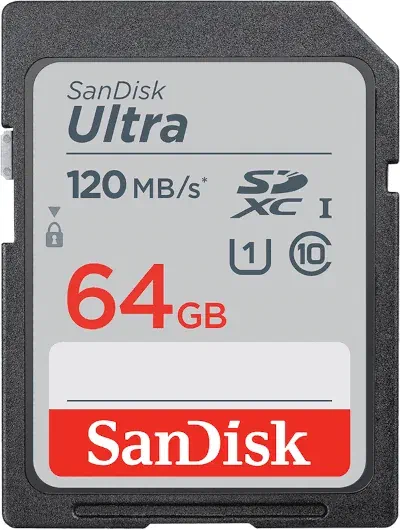
- UHS-I, U1, and Class 10 rated with read speeds up to 120MB/s for quick file transfers.
- Best suited for casual photographers and everyday shooting scenarios.
- Supports Full HD (1080p) video recording, ideal for travel and family moments.
- Affordable without sacrificing everyday reliability.
See current price and information:
PNY Elite-X 128GB SD Card
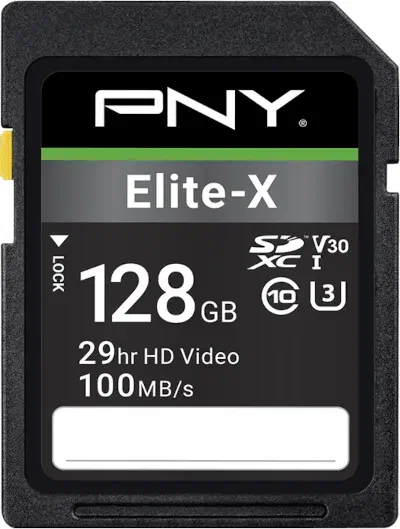
- UHS-I, U3, V30, and Class 10 rated with sustained write speeds up to 30MB/s.
- Optimized for high-speed burst shooting, keeping up with fast-action and sports photography.
- Capable of recording smooth, uninterrupted 4K video footage.
- Made with protection against magnets, shock, extreme temperatures, and water.
See current price and information:
microSDXC Card Models
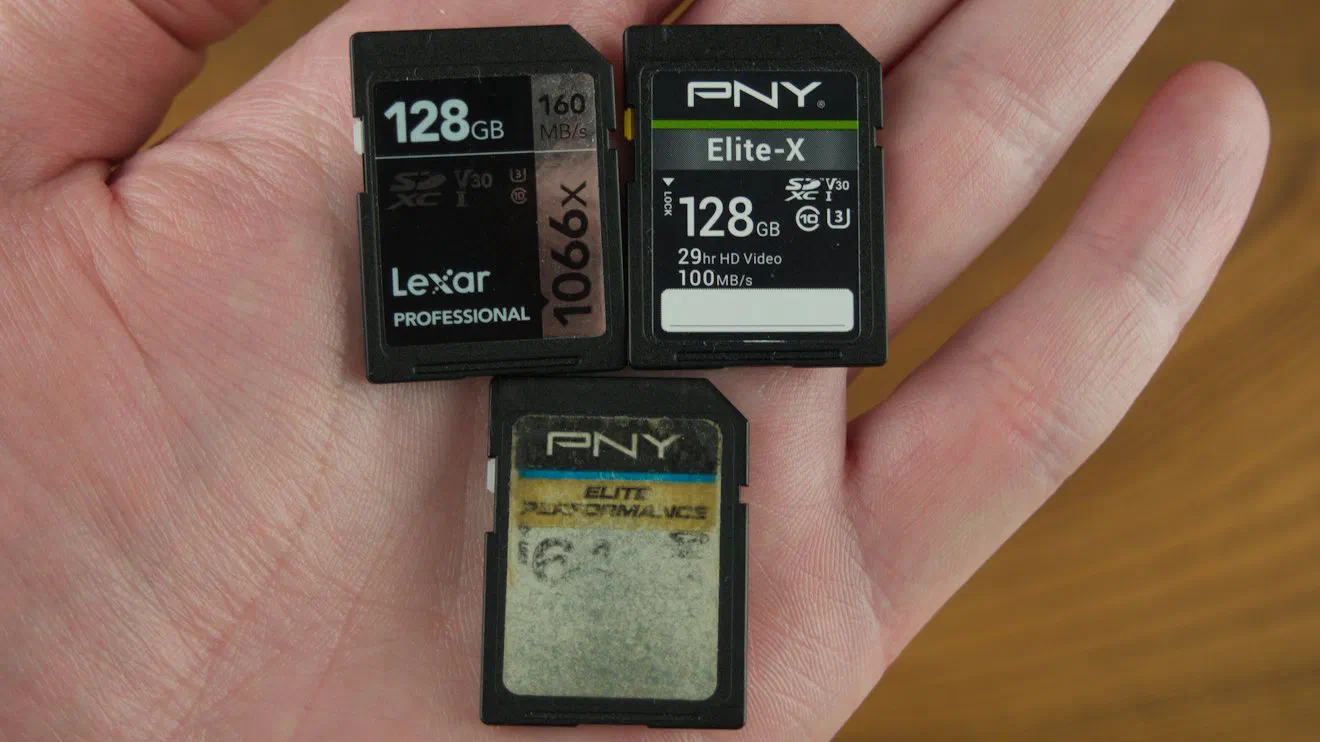
MicroSDXC cards are smaller. They usually come with an adapter that allows them to be used in a SD card slot.
There are CompactFlash adapters for SD and micro SD cards.
- Canon PowerShot ELPH 520 HS / IXUS 500 HS
- Canon PowerShot ELPH 530 HS / IXUS 510 HS
- Canon PowerShot N
Any UHS-I card from SanDisk, Lexar, PNY, or Samsung will be fine. 128GB or 256GB will be the best value in terms of price per GB.
Recommended microSDXC Cards
Make sure the card comes with a microSD to SD adapter.
| SanDisk Ultra 128GB microSDXC UHS-I | Amazon | eBay |
| Lexar Professional 128GB microSDXC UHS-I | Amazon | eBay |
CompactFlash Models
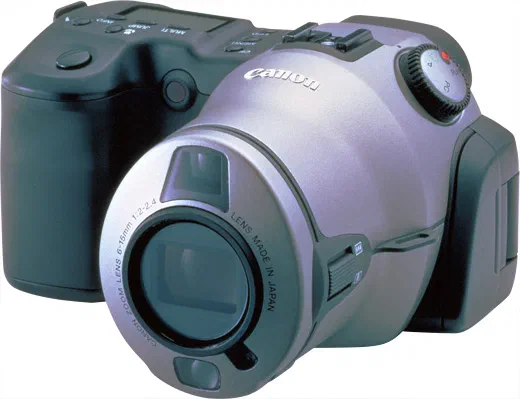
The models are compatible with CompactFlash memory cards with a maximum capacity of 2GB. Using a larger capacity card will cause errors to occur. The camera will not be able to take photos.
These have the same model name in every country.
| Powershot | Powershot |
|---|---|
| A5 | S10 |
| A5 zoom | S20 |
| A50 | S30 |
| A10 | S40 |
| A20 | S45 |
| A30 | S50 |
| A40 | S60 |
| A60 | S70 |
| A70 | Canon Pro 70 |
| A80 | Canon Pro 90 IS |
| A75 | Canon Pro 1 |
| A85 | S1 IS |
| A95 | G1 |
| A100 | G2 |
| A200 | G3 |
| A300 | G5 |
| A310 | G6 |
These models had different model names depending on where they were sold.
| PowerShot | Digital IXUS | IXY Digital | Canon model |
|---|---|---|---|
| S100 | Digital IXUS1 | IXY Digital | PC1001 |
| S300 | 300 | 300 | PC1008 |
| S110 | v | 200 | PC1012 |
| S200 | v2 | 200a | PC1022 |
| S330 | 330 | 300a | PC1026 |
| S230 | v3 | 320 | PC1037 |
| S400 | 400 | 400 | PC1038 |
| S410 | 430 | 450 | PC1086 |
| S500 | 500 | 500 | PC1084 |
Recommended CompactFlash Cards
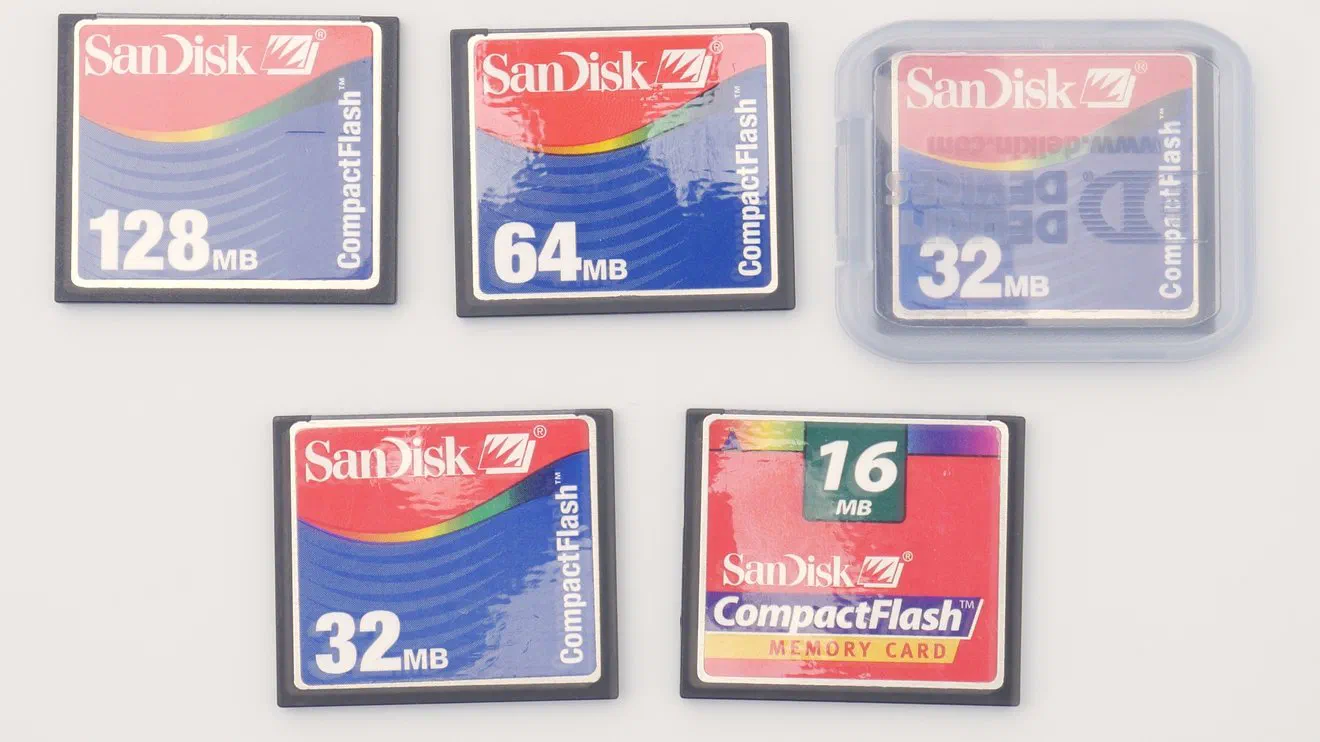
2GB capacities were cutting edge tech 20 years ago. There are fewer choices due to less demand. They also tend to be expensive compared to SD cards.
| 2GB Transcend | Amazon | Adorama |
| SD to CF Adapter | Amazon | eBay |
Canon CF Card Adapters
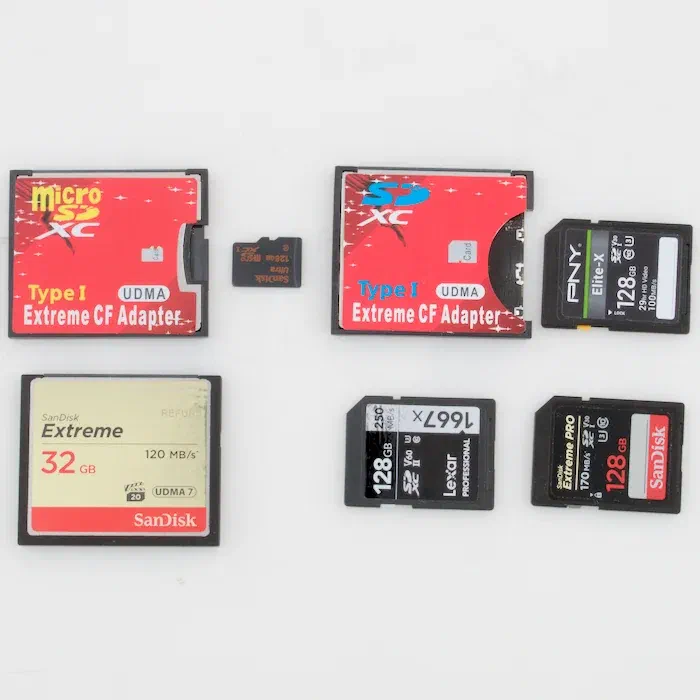
CompactFlash cards were expensive before AI demand over the past year has sent them even higher.
A potentially cheaper alternative is to use a SD or microSD to CompactFlash adapter. I don’t have PowerShots around to test with, but I haven’t noticed any issues using the adapters or CF card in my Canon 5D Mark II.
The maximum card that can be used will most likely be 128GB, but some cameras might have smaller limits like 2GB or 8GB.
Affiliate Links:
| SD to CF Adapter | Amazon | eBay |
| microSD to CF Adapter | Amazon | eBay |
SD & CompactFlash Card Readers
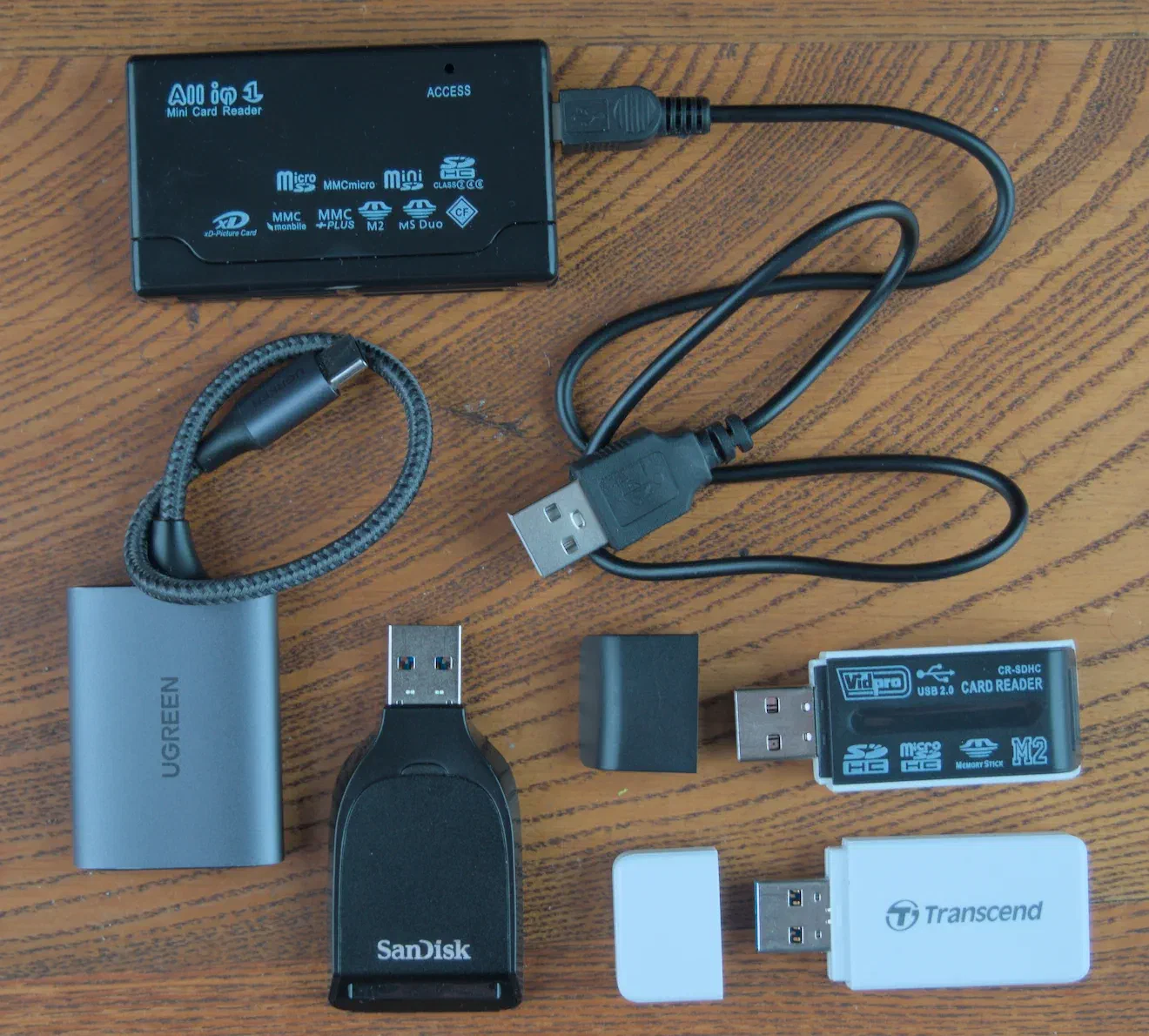
I like card readers that plug in with a cable. They don’t block ports like the smaller ones that attach direction to the USB adapter.
If you like vintage cameras, an All-in-One reader is useful for reading xD Picture Cards or Sony MemorySticks. They operate at slower USB 2.0 speeds, which is bad for use with fast SDXC cards, but more than fast enough for older memory cards.
USB 2.0 multi-card readers are slow. Ones that plug directly into a USB-A can block other ports. Others will have mini-B USB ports.
SD & CompactFlash Card Readers
A card reader lets you copy photos to your computer faster than connecting your camera directly. It also saves your camera battery.
Card readers that connect with a cable will not block ports. USB readers that plug directly in can block computer ports that are next to them.
Get a USB 3.0 reader for SDXC cards.
If you use older cameras, an all-in-one reader can also read xD Picture Cards and Sony Memory Sticks. These readers use slower USB 2.0, which is fine because older memory cards have slower transfer speeds.
Affiliate Links:
| USB-C CF Card Readers | Amazon | eBay |
| Multi Card Readers | Amazon | eBay |
SD Card Specifications
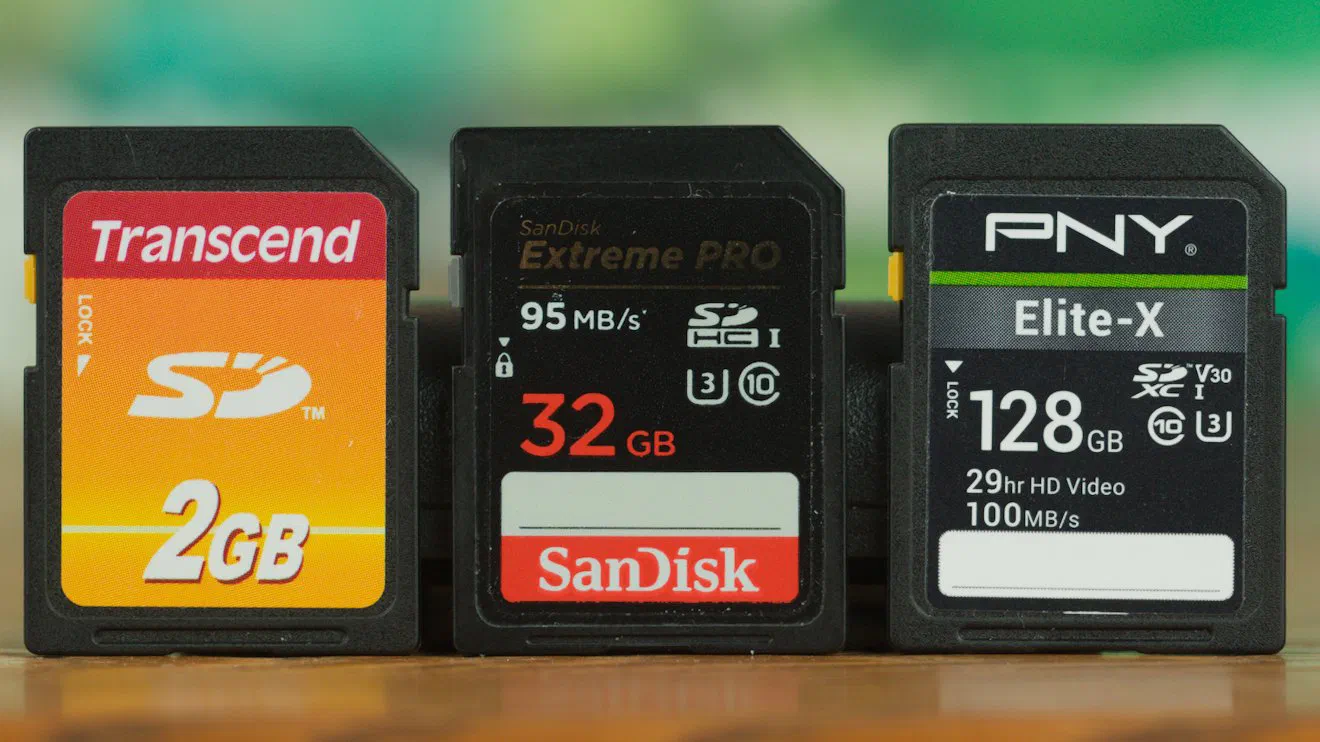
The SD card standard was introduced in 1999 as a successor to the MultiMediaCard format.
New specifications have been added to increase transfer speed and capacity.
Cards are not backwards compatible, but readers are. A camera that can read SDXC cards, can also read SDHC and SD cards.
A camera that uses SD cards can not use newer SDHC or SDXC cards.
Think of it like a 4 digit display showing an error if asked to show a 5 digit number.
- SD (Secure Digital) - Capacities up to 2GB. FAT12 or FAT16 file system.
- SDHC (Secure Digital High Capacity) - Capacities from 4GB to 32GB. FAT32 file system.
- SDXC (Secure Digital eXtended Capacity) - Capacities from 64GB to 2TB. exFAT file system.
- SDUC (Secure Digital Ultra Capacity) - Not used by any PowerShot cameras because of how new they are. Capacities are larger than 2TB.
MicroSD cards are physically smaller versions of SD, SDHC, and SDXC cards, and can be used with an adapter.
The SD Association is the industry organization in charge of the standard. Answers to any questions you have can be found in the SD Standard Overview.
The Wikipedia - SD card page is also full of technical information.
SD Card Speed Ratings
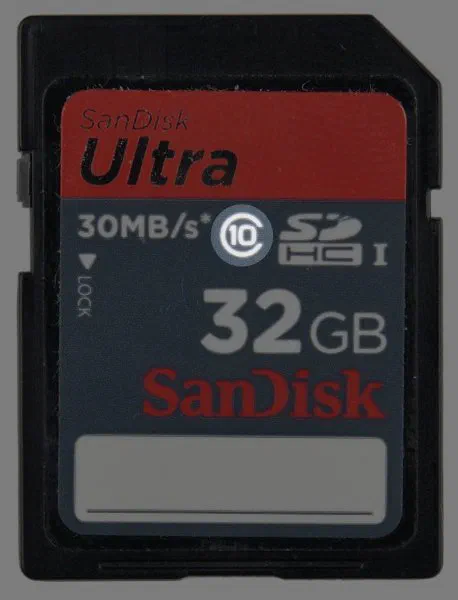
Speed ratings depend on the continuous read and write speeds of a card. That will be different than the “peak speed” manufacturers will advertise on the label.
A detailed explanation can be found on the SD Card Association Speed Class page
The ratings cover different speed ranges and technologies.
Speed Class was the first rating. These are minimum speeds. For example, a Class 6 card could be capable of 7MB/s.
- Class 2 - 2MB/s
- Class 4 - 4MB/s
- Class 6 - 6MB/s
- Class 8 - 8MB/s
- Class 10 - 10MB/s
Ultra High Speed bus (UHS) has 2 ratings. UHS-I is 10MB/s and UHS-II is 30MB/s sustained write speeds. Cards with UHS-II will be fast enough for 1080p and some 4k video.
Finally, Video Speed Class, is for high frame rate and bit rate video.
- V6 - 6MB/s
- V10 - 10MB/s
- V30 - 30MB/s
- V60 - 60MB/s (4k video)
- V90 - 90MB/s (8k video)
Image Capacity
The higher the quality of photos and video taken, the less a card can hold.
If you want to shoot JPEG images, I don’t think you’ll have storage problems. The cameras that are limited to 2GB are lower resolution and might be able to record standard definition video.
This is a rough estimation of the quantity of large JPEGs. It will vary based on how many megapixels the camera has.
- 1GB - 500 images
- 2GB - 1,000 images
- 4GB - 2,000 images
- 8GB - 3,750 images
- 16GB - 7,500 images
- 32GB - 15,000 images
- 64GB - 30,000 images
- 128GB - 60,000 images
- 256GB - 120,000 images
MMC - MultiMediaCard Compatibility
Some PowerShot models are compatible with MMC cards in addition to SD. The format lost to SD.
A MMC card is fine if it was included with your camera.
I would not recommend buying a MMC card. Let collectors pay higher prices than what comparable SD cards are available for.
Wikipedia MultiMediaCard page.